Technology Training

Check Out A Skill

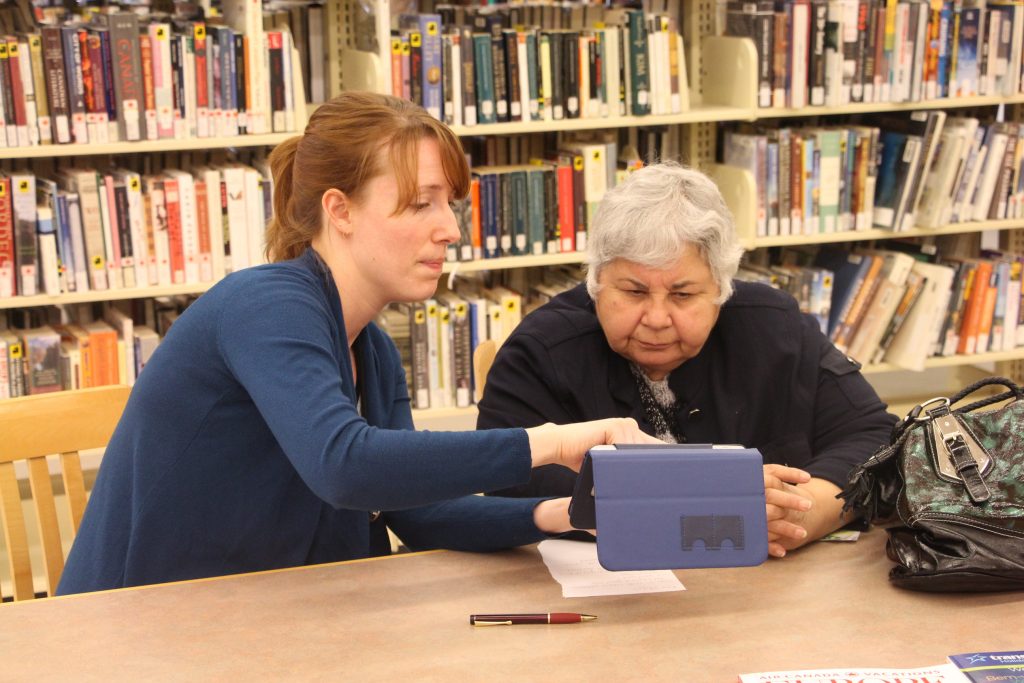
Taken a class and still need help? Struggling with that new e-reader? Curious about our new 3D printer? Want to learn more about the cool new technologies we've been playing with in the library? Book some personalized one-on-one time with our resident tech experts. Appointments are available in one-hour blocks and can be made by contacting your local branch. 

Need help with Windows 8?  Find answers here!


Digital Media Tutorials

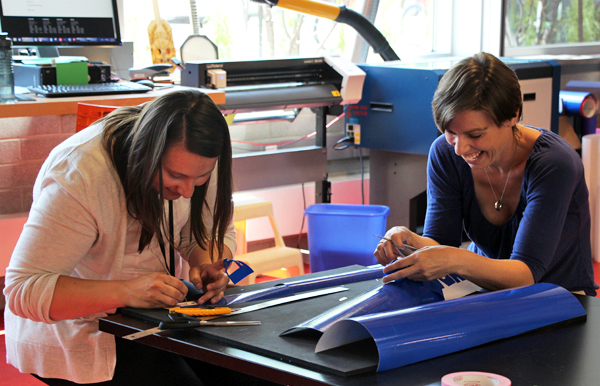
Tutorials in our Digital Media Lab are free of cost, run approximately one hour in length, and are designed for one to two participants. Interested individuals are invited to bring an idea or project with them, making it easier to adapt the tutorials to meet specific needs and goals. Book through our Check Out A Skill service (see above) by visiting the Lakeshore Branch or contacting (705) 431-7410.

Photoshop for Beginners - This interactive tutorial will introduce participants to the layout of Photoshop CS6 and key photo editing techniques.  Participants will use their own digital photos to practise cropping, red-eye-removal, focusing an image, adjusting colour, converting to black/white, and applying basic filters. Participants must bring their own digital photo on a USB stick or other external drive.

BYOB (Bring Your Own Band) - This collaborative musical session will demonstrate single and multi-track recording basics, including proper mic-ing for live instruments, set-up for MIDI inputs, and simple but effective editing techniques. Participants are encouraged to bring their own USB stick or external drive, as well as their own instruments!

Video Production 101 - In this flexible tutorial, participants will learn how to use digital video equipment and to edit their work with top-notch software.  Participants should come with a vision they are excited about, and be ready to develop and create it!  Depending on their needs and experience, sessions may focus on a certain stage of production or take a more comprehensive approach. Participants are encouraged to bring their own USB stick or external drive, as well as props for filming!


Special Computer Classes

Online Shopping

Use the computers in our Lakeshore Branch Training Room and the assistance of our staff members to help you figure out online shopping, from Kijiji to eBay to Amazon to WagJag!

Lakeshore: Thurs. Apr. 18, 1:30pm  


Course handout - Word | PDF

Get Published!    Discover the ways you can pursue your dream of getting published - the traditional way, self-publishing, and ebook publishing.  This demonstration course will also include a live demonstration of creating an ebook.  No computer skills required!

Stroud: Wed. May 8, 1:30pm

 Course Handout - Word | PDF

Learn about Skype, a great online tool for communicating with people around the globe or around the corner. First hour is a demonstration of Skype and Q&A, second hour is for people who wish to stay and set up Skype accounts.

This course is best for: People who have never tried the Internet before, and are comfortable using a mouse.

Lakeshore: Thurs. May 2, 1:30pm      

Course Handout - Word PDF

Overdrive Reads

Learn more about the Next Generation of ebook borrowing at this one-hour demo class.  Believe it or not, downloading and enjoying ebooks can be fun and easy!  No computer experience required.

Lakeshore: Thurs. Apr. 11, 1:30pm        

 
Course Handout - pending


Try the newest social sensation! Learn how you can be your own curator of great web images with this cool online tool. No computer skills required!

First hour is a demonstration of Pinterest and Q&A, second hour is for people who wish to stay and create Pinterest accounts.

Stroud: Wed. Apr. 17, 1:30pm        


Course Handout - 
Word PDF

Mango Languages

Teach yourself actual conversation skills in over 20 languages.  Includes ESL courses!  This resource is free for everyone with an Innisfil Public Library card, and is available 24/7 through your home computer.

Lakeshore: Thurs. Apr. 25, 1:30pm

Course Handout - Word | PDF

In this hands-on class, you will learn how to use iPads and discover fun and functional apps. iPads will be provided, but you are welcome to bring your own.

Lakeshore: Tues. May 28, 6:30pm      

Cookstown: Wed. May 22, 1:30pm

Course Handout - Word PDF

Linked In

Linked In is the world's largest professional network with over 175 million members and growing rapidly.  Learn about making professional connections using Linked In online.

No experience required.  First hour is a demonstration of Linked In; second hour is for people who wish to stay and create Linked In accounts.

Cookstown: Wed. June 26, 1:30pm

Course Handout - Word | PDF

Tech Yourself Before You Wreck YourselfSave yourself time and trouble!  Discover Learning Express, an online resource that helps you master popular computer programs like Word, Excel, Outlook, Photoshop and more at your own pace.  This resource is free for everyone with an Innisfil Public Library card, and is available 24/7 through your home computer.

Lakeshore: Thurs. Apr. 4, 1:30pm

Cookstown
: Wed. Apr. 24, 1:30pm      

Course Handout - Word | PDF

3D Design and Printing

Learn the basics of 3D design using SketchUp.  Create your own custom 3D models, then see your designs come to life in plastic with our 3D printer!  Computer experience is required.  Ages 12 and up.


Lakeshore: Tues. May 7, 6:30pm
 

   Course Handout - PDF

In this demonstration course, we will answer your most-asked questions about e-mail, including how to manage contacts and how to send attachments. No computer skills required!

First hour is a demonstration of e-mail and Q&A, second hour is for people who wish to stay and create a Gmail e-mail account.

Lakeshore:  Thurs. Mar. 28, 1:30pm
and Thurs. May 23, 1:30pm

Stroud: Wed. June 12, 1:30pm 

Course Handout - Word | PDF

Facebook Plus

Learn how to do advanced Facebook techniques.  Topics may include adding photo albums, using advanced privacy settings, creating groups, and more.

This course is best for people who already have a Facebook account and some experience with it.

Lakeshore: Thurs. May 9, 1:30pm

Course Handout - Word | PDF

Hiding Your Digital Footprint

Learn how to browse the net freely and anonymously, and discover how to make your digital footprints disappear. There will also be a variety of discussions on current evens and how it relates to information privacy. Everyone is welcome to attend this free course – computer skills not required.  Ages 14 and up.

Cookstown: Tues. Apr. 16, 6:30pm

Course Handout - pending

Computer Classes

For absolute beginners!  Learn the parts of the computer, learn to use a mouse with Mousercise, explore the Desktop, open and close a program, use the File menu, learn about your computer’s drives, start, restart and shut down a computer, and learn simple troubleshooting. 

This course is best for: People who have never used a computer before, or people who have a hard time clicking and doubleclicking with a mouse.


Lakeshore
: Tues. May 14, 6:30pm
and Thurs. May 30, 1:30pm
 

Course Handout - Word | PDF

Discover what the Internet is, learn how to use Microsoft Internet Explorer, compare search engines, learn how to print webpages, discover how to be safe online, learn simple tips and tricks.

This course is best for: People who have never tried the Internet before, and are comfortable using a mouse.


Lakeshore
: Tues. Apr. 9, 6:30pm
and Thurs. June 6, 1:30pm
 

Course Handout - Word PDF

Discuss internet browsers, use tabs to open multiple web pages, explore the Internet Explorer toolbar, learn about your browser's history, add websites to your Favourites, set a new home page, learn about temporary internet files, discuss restricted access sites, and be introduced to social networking.

This course is best for: People who have taken Introduction to the Internet or have explored the Internet a bit on their own, and who are comfortable using a mouse.


Lakeshore
: Tues. Apr. 23, 6:30pm
and Thurs. June 20, 1:30pm
 

Course Handout - Word | PDF

Learn how to use Microsoft Word, a common word processing program. Discover the Word "ribbon", learn how to create, save and print a Word document, try some word processing techniques, learn keyboard shortcuts for common commands.

This course is best for: People who have a basic level of comfort with a mouse and can type a line or two on a keyboard.

Lakeshore: Thurs. June 13, 1:30pm

Course Handout - Word | PDF

This class will be tailored to the participants' needs. Topics may include: using tables, inserting a picture.

This course is best for: People who have taken the Introduction to Word course or tried Word before who are comfortable with the keyboard and mouse.

Lakeshore: Thurs. June 27, 1:30pm

Course Handout - Word | PDF

Create a basic spreadsheet, copy and replicate data, learn how to use formulas to save time and effort, and format your spreadsheet.

This course is best for: People who are very comfortable with the keyboard and mouse.

Lakeshore: Tues. June 11, 6:30pm

Course Handout - Word | PDF

In this hands-on course, you will learn how to make a basic yet refined presentation of your pictures complete with descriptives and fun animations.

This course is best for: People who have experience using a mouse and keyboard.

Lakeshore: Tues. June 25, 6:30pm

Course Handout - Word | PDF

Unless otherwise indicated, computer courses run for two hours and are FREE. 

Call LakeshoreStroud, or Cookstown Branch to register.

Learning Express Online Computer Courses

If you do well with self-directed learning, you might enjoy Learning Express online courses.  Learn Word, Excel, Outlook, Photoshop and more at your own pace, from the comfort of your own home!  You will need a valid library card to access Learning Express, and it works best if you use your library card number as your username.  Anyone who lives or works in Innisfil is entitled to a free library card; visit your nearest branch for assistance.  

Learning Express 
Tip Sheet: Word | PDF